Interfaces running today
Hospitals and healthcare technology vendors use Grid to connect the systems their teams depend on.
 linkiir15-day sandbox ↗
LINKIIR GRID / ENTERPRISE HEALTHCARE INTEGRATION
Move healthcare data with or without AI. Your team controls Grid, its deployment and its data flows. AI is optional and configurable: you choose whether it runs, who can use it and which model endpoints it can access.
Explore the engine ↗Watch the overview ↓Illustrative data flow: hospitals, laboratories and medical devices send data through Linkiir Grid to electronic health records, care-team applications, analytics and AI.
SCROLL TO FOLLOW THE DATA ↓INSIDE THE DATA FLOW
Choose a data type. Follow a sample through parsing, mapping, validation and delivery. These illustrative examples use synthetic data and simplified mappings.
Your mappings. Your validation rules. Your destinations. Workflows run in your environment under your control. Examples do not represent a live connection or a complete FHIR resource.
HEALTHCARE RUNS ON CONNECTIONS
Hospitals and healthcare technology vendors use Grid to connect the systems their teams depend on.
Keep AI disabled or configure approved models, permissions and policies. Your organization decides.
Explore your AI options ↗MEET LINKIIR GRID
See how Linkiir Grid brings healthcare systems and data together.
INSIDE LINKIIR GRID
Bring your sources, transformations and destinations together in the Workflow Builder.
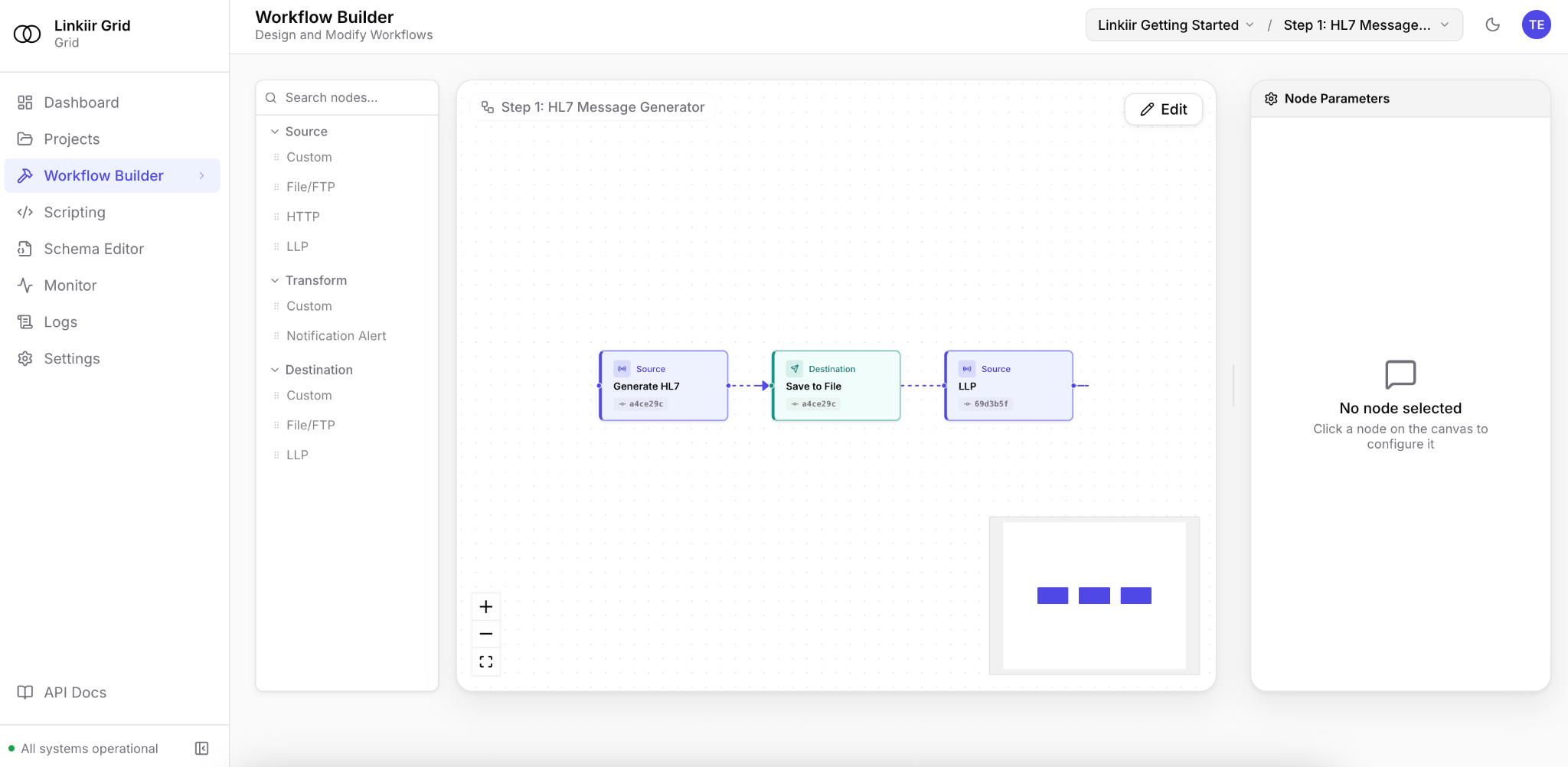
Actual Linkiir Grid Workflow Builder.
AT A GLANCE
From the first connection to its next use. Every message passes through a platform built to make healthcare data move.
01 / CONNECTIVITY
Connect the systems you already run. Bring HL7, FHIR, X12, APIs and files into Grid with documented, versioned adapters.
Explore the adapters ↗02 / TRANSFORMATION
Parse into typed objects. Use built-in AI to prepare the transformation, verify the fields and validate against the schema your destination expects.
Build with Grid ↗03 / ORCHESTRATION
Route to clinical applications, analytics and AI. Queue, acknowledge and archive each message as it moves through the workflow.
Inside the runtime ↗04 / GOVERNANCE
Trace the message, control access and keep an audit trail. If an interface fails, inspect the error, fix the transform and replay.
Explore security ↗WHERE GRID FITS
Bring the source, destination and a de-identified message sample. Evaluate Grid against a workflow that matters to your organization.
CLINICAL OPERATIONS
Receive HL7 ADT messages, map destination fields and route updates to connected clinical applications.
DIAGNOSTICS
Validate incoming results, transform the message and deliver it in the format the receiving system expects.
DATA & AI
Transform and route data to analytics platforms and AI applications with visibility into the message flow.
AI, BUILT INTO GRID
Your infrastructure.
Your models. Your approvals.
Grid’s optional AI Assistant helps build, diagnose and fix integrations through Grid’s APIs. It uses your permissions, masks message payloads and requires your approval to commit changes. Choose self-hosted or configured external models.
Explore Grid AI ↗COMING SOON · Linkiir Agent brings intelligent data access and routing to systems exposing MCP.
LET’S MOVE HEALTHCARE FORWARD